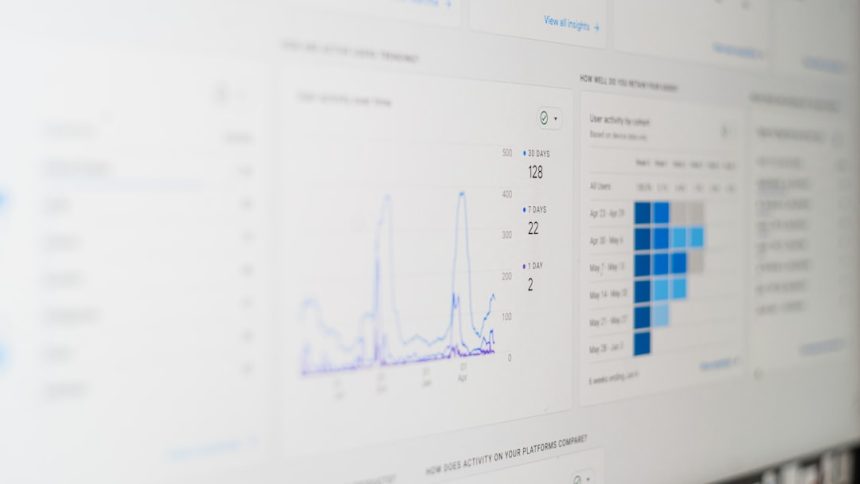
Mixpanel is a well-known choice for product analytics, especially when teams want to understand how users move through funnels, adopt features, and return over time. But it is not the only option. Depending on your budget, technical resources, privacy requirements, and need for session replays or experimentation, another visitor tracking platform may fit your business better.
TLDR: The best Mixpanel alternatives for funnel and user journey analytics include Amplitude, Heap, PostHog, Pendo, FullStory, Smartlook, and Kissmetrics. Amplitude is excellent for product-led teams, Heap is strong for automatic event capture, and PostHog is ideal for teams that want open-source flexibility. If you need visual session analysis, FullStory and Smartlook are especially useful, while Pendo and Kissmetrics shine in product adoption and revenue-focused journey tracking.
Why Look for Visitor Tracking Tools Like Mixpanel?
Mixpanel helps teams answer questions like: Where do users drop off? Which features lead to activation? What behaviors predict retention? These insights are essential for SaaS companies, ecommerce brands, marketplaces, and mobile apps.
However, different teams need different types of visibility. Some want automatic event tracking so they do not have to manually tag every click. Others need session recordings, heatmaps, in-app guidance, or self-hosted analytics. The tools below are all strong alternatives to Mixpanel, but each one approaches user journey analytics from a slightly different angle.
1. Amplitude
Best for: Product analytics, retention analysis, behavioral cohorts, and enterprise growth teams.
Amplitude is one of the closest Mixpanel alternatives and is often considered a direct competitor. It is built for product teams that want to understand how different user behaviors connect to growth, activation, and long-term retention.
One of Amplitude’s strongest features is its ability to create behavioral cohorts. For example, you can group users who completed onboarding, invited a teammate, used a specific feature three times, or abandoned a checkout flow. These cohorts can then be analyzed across funnels, retention charts, and user paths.
- Key features: Funnel analysis, cohort analysis, retention tracking, path analysis, experimentation, and predictive insights.
- Why it stands out: It is especially strong for product-led growth teams that need deep behavioral analytics.
- Potential drawback: Advanced features can become expensive for smaller teams.
If your main goal is to understand which actions create loyal users, Amplitude is one of the best tools available.
2. Heap
Best for: Teams that want automatic data capture without manually defining every event upfront.
Heap’s biggest advantage is that it automatically captures user interactions such as clicks, form submissions, page views, and taps. This means your team can analyze historical behavior even if you did not plan the tracking setup in advance.
This is valuable because many analytics projects fail due to incomplete tracking plans. With traditional event-based tools, if you forget to track a button click, you cannot easily analyze it later. Heap solves this by collecting interaction data first and letting you define events afterward.
- Key features: Autocapture, funnel reporting, journey analysis, segmentation, data governance, and identity resolution.
- Why it stands out: It reduces dependency on engineering teams for analytics setup.
- Potential drawback: Autocaptured data still needs careful organization to avoid clutter.
Heap is a great fit for fast-moving teams that frequently ask new questions about user behavior and do not want to wait weeks for new tracking implementation.
3. PostHog
Best for: Technical teams, startups, and companies that want open-source analytics with flexible deployment options.
PostHog is more than a visitor tracking tool. It combines product analytics, session replay, feature flags, A/B testing, surveys, and data pipelines in one platform. For engineering-driven teams, this makes it a compelling Mixpanel alternative.
One of PostHog’s biggest appeals is flexibility. You can use its cloud version or choose self-hosting if you need more control over data. This is particularly attractive for companies with strict privacy, compliance, or infrastructure requirements.
- Key features: Funnels, user paths, retention, session recordings, feature flags, experimentation, and product surveys.
- Why it stands out: It offers a broad set of product analytics tools in a developer-friendly package.
- Potential drawback: Non-technical teams may find it less polished than some enterprise platforms.
PostHog is ideal if you want to connect analytics directly with product development. Instead of simply observing behavior, teams can test changes, roll out features, and measure impact in the same ecosystem.

4. Pendo
Best for: SaaS companies focused on product adoption, onboarding, and in-app user guidance.
Pendo is different from Mixpanel because it combines analytics with in-app engagement tools. It does not just show you where users get stuck; it also lets you create guides, tooltips, onboarding flows, and announcements to help users move forward.
This makes Pendo especially valuable for customer success, product management, and onboarding teams. For example, if analytics reveal that users are not discovering a high-value feature, you can create an in-app guide to introduce it at the right moment.
- Key features: Product usage analytics, funnels, feature adoption tracking, in-app guides, feedback collection, and user segmentation.
- Why it stands out: It connects behavioral insights with direct product experiences.
- Potential drawback: It is often better suited to SaaS products than content or ecommerce websites.
Pendo is a strong choice if your funnel problems are not only analytical but also educational. It helps users understand your product while giving your team visibility into what is working.
5. FullStory
Best for: Teams that need session replay, experience analytics, and qualitative insight into user frustration.
FullStory focuses heavily on digital experience intelligence. While Mixpanel is excellent for charts and behavioral reporting, FullStory helps you watch what actually happened during a user session. You can see clicks, scrolling patterns, rage clicks, dead clicks, form struggles, and navigation confusion.
This is incredibly useful when a funnel report tells you where users are dropping off but not why. For example, analytics might show a sudden abandonment on a payment page. FullStory can reveal whether users encountered a broken button, confusing error message, slow page, or unexpected layout issue.
- Key features: Session replay, heatmaps, conversion funnels, frustration signals, journey mapping, and advanced search.
- Why it stands out: It gives teams a visual, human view of user behavior.
- Potential drawback: It is less focused on classic product analytics than tools like Amplitude or Mixpanel.
FullStory works especially well alongside event analytics. Use it when you need to diagnose friction, improve UX, and understand the emotional side of the customer journey.
6. Smartlook
Best for: Websites and mobile apps that need affordable session recordings, heatmaps, and funnel tracking.
Smartlook is a practical visitor tracking tool for teams that want both quantitative and qualitative analytics. It supports session recordings, heatmaps, events, funnels, and crash reports, making it useful for web and mobile product teams.
One advantage of Smartlook is its accessibility. It is generally easier to get started with than some enterprise analytics platforms, and it gives marketers, UX designers, and product managers quick visibility into how visitors behave.
- Key features: Session replay, event tracking, funnels, heatmaps, mobile analytics, and error tracking.
- Why it stands out: It combines visual analytics and funnel tracking in a user-friendly way.
- Potential drawback: Deep behavioral cohort analysis may not be as advanced as in dedicated product analytics tools.
Smartlook is a good option for teams that want to see user journeys clearly without building a complex analytics stack. It is particularly useful for debugging conversion problems and improving interface design.

7. Kissmetrics
Best for: Marketing analytics, ecommerce funnels, SaaS revenue tracking, and customer lifecycle analysis.
Kissmetrics has long been associated with person-based analytics. Instead of only reporting anonymous page views, it focuses on tracking individuals across their journey from first visit to conversion and beyond.
This makes it valuable for businesses that care deeply about revenue attribution and lifecycle behavior. You can analyze how visitors become leads, how leads become customers, and how different actions influence upgrades, repeat purchases, or churn.
- Key features: Funnel analysis, customer journey tracking, revenue reports, cohort analysis, campaign attribution, and behavioral segmentation.
- Why it stands out: It connects user behavior with business outcomes like purchases and subscriptions.
- Potential drawback: It may feel less modern than newer product analytics platforms in some areas.
Kissmetrics is worth considering if your analytics questions are tied closely to marketing performance, sales funnels, and customer value.
How to Choose the Right Mixpanel Alternative
The best visitor tracking tool depends on what you actually need to learn. If you want advanced product analytics, Amplitude is a top choice. If your team wants to avoid manual tracking work, Heap is very compelling. If you prefer an open-source and developer-friendly platform, PostHog offers excellent flexibility.
For teams focused on onboarding and feature adoption, Pendo may be the better fit. If your biggest challenge is understanding user frustration, FullStory or Smartlook can show the actual experience behind the numbers. And if revenue journeys are your priority, Kissmetrics remains a strong option.
Before choosing a platform, consider these questions:
- Do you need event analytics, session replay, or both?
- Will your team manually define events, or do you need automatic capture?
- Are you analyzing a SaaS product, ecommerce store, mobile app, or content site?
- How important are privacy, consent management, and data hosting options?
- Who will use the tool most: product managers, marketers, engineers, UX designers, or customer success teams?
Final Thoughts
Mixpanel is powerful, but the analytics market is rich with alternatives that may fit your workflow better. The right tool should not only show charts; it should help your team make better decisions about onboarding, conversion, retention, and customer experience.
For many companies, the smartest approach is to match the platform to the question. Use product analytics to discover patterns, session replay to understand friction, and funnel analysis to prioritize improvements. When your visitor tracking tool reveals both the numbers and the story behind them, your team can build experiences that users actually want to continue using.