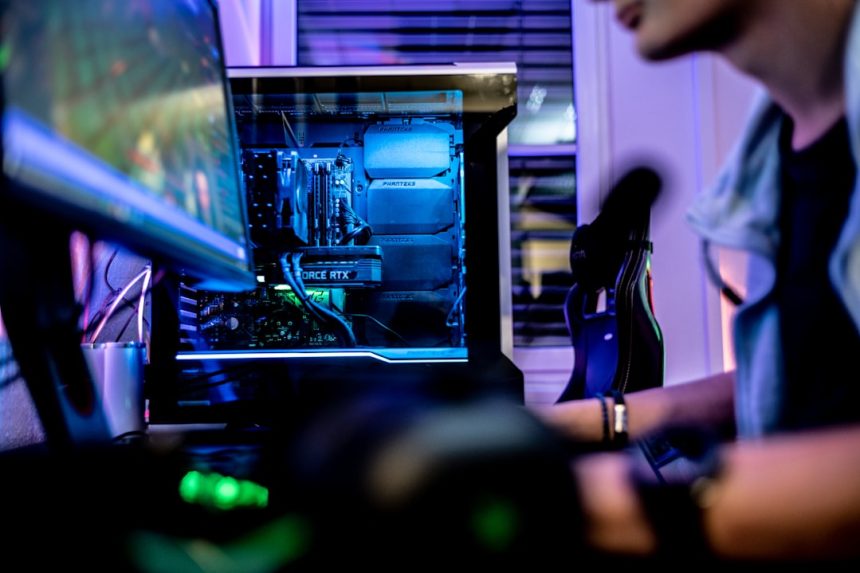
If you’ve ever experienced screen flickers, game crashes, or just plain weird behavior on your gaming PC, you’re not alone. Many users running RTX graphics cards have hit some rough patches lately, mostly due to driver issues. The good news? Nvidia has rolled out a fix!
TL;DR
Nvidia RTX driver problems were causing all kinds of headaches for gamers and creators. The issues included crashes, performance drops, and software conflicts. But Nvidia released a new driver update that fixes most of these problems. If you’ve been struggling, update now and enjoy smooth graphics again!
What Was Going Wrong?
Nvidia’s RTX series cards are powerful. But even the strongest GPU can go haywire with bad drivers. In recent months, many users reported:
- Random crashes while gaming
- Overheating even during simple tasks
- Screen flickering when watching videos
- Slow performance in creative apps like Photoshop or Premiere Pro
It wasn’t just gamers getting annoyed—content creators, designers, and even casual users felt the pressure. Drivers are the software that help your hardware talk to your system. When they’re buggy, things fall apart fast.
The Culprit: A Few Bad Updates
It turns out that a few Nvidia driver updates introduced errors in how the RTX GPUs handled background services and performance optimization. In some cases, the GPU workload spiked unexpectedly. Other times, the card would downclock itself for no reason.
Some affected versions included:
- Driver version 531.18 – known for the CPU usage bug
- Driver version 535.98 – reported for overheating on idle
- Driver version 537.42 – created screen tearing issues
That’s no small glitch. And yes, rolling back to old drivers did work for some. But that’s not a real solution, especially for people who need the latest features or fixes from newer drivers.
The Fix: Thank You, Nvidia!
Nvidia finally tackled the issues head on. In the most recent update (version 551.23), they’ve addressed multiple user-reported bugs. Here’s what the new update fixes:
- Resolved high CPU usage even when idle
- Fixed display flickering on some monitors
- Stabilized RTX support in popular games like Fortnite and Cyberpunk 2077
- Corrected color profiles that were randomly changing
The update also improves overall GPU performance, power efficiency, and system compatibility. Basically, things run smoother, cooler, and better.
How to Get the Update is super simple:
- Open GeForce Experience (or download it if you haven’t already)
- Click on the Drivers tab
- Press Download on the latest driver available
- Let it install and reboot your system
And that’s it! Goodbye, screen crashes. Hello, smoother gameplay.
Don’t Ignore Driver Updates
We get it — updating drivers can be scary. Some people avoid it like the plague, especially if their current setup “just works.” But outdated drivers can lead to vulnerabilities, performance issues, and missing out on exciting features.
Here’s why you should keep your drivers fresh:
- Better security – Bugs can be exploited!
- Faster framerates – Especially in new games
- Cooler temps – Less stress on your PC
- New features – Like DLSS updates or improved ray tracing
So don’t snooze those update alerts!
Bonus Tips to Keep Things Smooth
After you update, here are a few more things you can do to keep your RTX card happy:
- Enable hardware acceleration in apps like Chrome or Discord
- Use “Clean Install” in GeForce Experience if things still feel buggy
- Monitor temps using tools like MSI Afterburner
- Use V-Sync or G-Sync to avoid screen tearing
What If You Still Have Problems?
Don’t panic! Some rare issues might still linger depending on your setup. Here’s what you can try:
- Roll back the driver slightly if the latest isn’t working perfectly
- Report the issue directly to Nvidia via their feedback page
- Check community forums like Reddit or Nvidia’s site for tweaks
- Consider a clean Windows install if your system has deeper issues
Also, make sure your motherboard BIOS and Windows are up to date. Graphics drivers are part of a big tech family—everything needs to play nice together.
The Future Looks Bright (And Sharper!)
Nvidia seems to be paying attention and fixing bugs faster. And with amazing tech like DLSS 3.5 and upcoming RTX 5000 cards on the horizon, it’s a good time to stick with team green.
Of course, no system is perfect. Bugs will happen. But it’s good to know that Nvidia’s updates are working toward making your gaming or creative life as smooth as butter.
So go ahead—hit that update button. Then dive back into your favorite games with fewer crashes, better frames, and happier vibes.
Final Thoughts
RTX driver issues were definitely annoying. But the latest Nvidia drivers bring relief. They’re easy to install, fix major bugs, and boost overall performance. So what are you waiting for? Update now, and let your GPU shine!