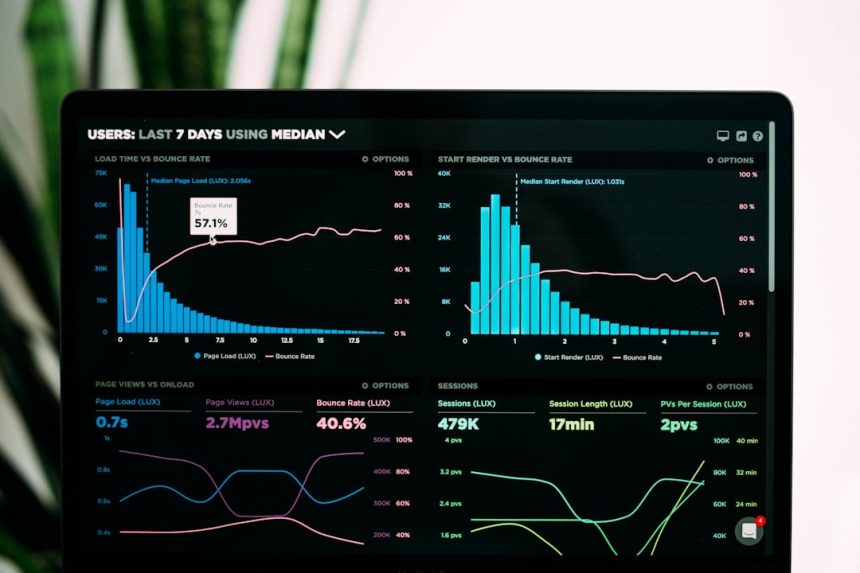
High-traffic WordPress websites face a unique set of challenges: heavy server loads, slow database queries, resource-hungry themes, and unpredictable traffic spikes. Without proper optimization, even the most well-designed site can suffer from slow load times, poor user experience, and reduced search engine rankings. Fortunately, a range of performance optimization plugins can dramatically improve speed, scalability, and reliability. Tools like Bulk WP further support performance by allowing you to save hours of work through manual or scheduled bulk operations—such as deleting posts, pages, users, or custom fields based on specific conditions—helping keep your database lean and efficient.
TLDR: High-traffic WordPress sites demand robust performance optimization to prevent slowdowns and downtime. The right mix of caching, image compression, database cleanup, and CDN integration can significantly boost site speed. This article highlights seven powerful WordPress performance plugins that help manage heavy traffic efficiently. A comparison chart and FAQ section are included to simplify decision-making.
Below are seven of the most effective WordPress performance optimization plugins for improving speed on high-traffic websites.
1. WP Rocket
WP Rocket is widely considered one of the most comprehensive caching plugins for WordPress. Designed for ease of use, it delivers powerful features without complicated configuration.
Key Features:
- Page caching
- Browser caching
- GZIP compression
- Delayed JavaScript execution
- Database optimization
- CDN integration
For high-traffic websites, WP Rocket reduces server load by generating static HTML files and serving them to users instead of processing heavy PHP scripts on every page load. This significantly decreases response times.
Best for: Site owners who want an all-in-one, beginner-friendly premium solution.
2. W3 Total Cache
W3 Total Cache is a feature-rich performance plugin designed for scalability. It is particularly useful for large, content-heavy, and high-traffic websites.
Key Features:
- Page, object, and database caching
- Minification of HTML, CSS, and JavaScript
- CDN support
- Fragment caching
- Browser cache control
Its advanced object caching makes it well-suited for dynamic websites, including membership portals and eCommerce stores. Although its interface can be overwhelming, its performance capabilities are impressive when configured correctly.
Best for: Developers and experienced users who want granular control over caching settings.
3. WP Super Cache
WP Super Cache, developed by Automattic, is a simple yet powerful caching plugin. It generates static HTML files from dynamic WordPress sites and serves them to the majority of users.
Key Features:
- Static HTML caching
- Simple and expert modes
- CDN integration support
- Cache preloading
It is especially effective for blogs and content publishers experiencing sudden traffic surges from social media or news mentions.
Best for: Sites that need reliable caching with straightforward setup.
4. LiteSpeed Cache
LiteSpeed Cache is a high-performance plugin designed specifically for sites running on LiteSpeed servers. However, many of its optimization features are available regardless of server configuration.
Image not found in postmeta server optimization interface, caching settings panel, wordpress performance tools[/ai-img>
Key Features:
- Server-level caching
- Image optimization
- Database cleaner
- CSS and JavaScript minification
- Lazy loading
Its server-level caching provides exceptional performance gains for high-traffic environments. Additionally, its built-in optimization suite reduces the need for additional plugins.
Best for: Websites hosted on LiteSpeed servers seeking enterprise-grade performance.
5. Autoptimize
Autoptimize focuses on front-end optimization rather than full-page caching. It aggregates, minifies, and compresses scripts and styles to reduce render-blocking resources.
Key Features:
- HTML, CSS, JS minification
- Script aggregation
- Lazy-load images
- Google Fonts optimization
When used alongside a caching plugin, Autoptimize significantly improves page load times, especially for sites with complex themes and numerous plugins.
Best for: Enhancing front-end performance in combination with a dedicated caching solution.
6. Perfmatters
Perfmatters takes a lightweight and strategic approach to optimization. Rather than adding caching, it removes unnecessary features that slow down WordPress.
Key Features:
- Disable unused scripts
- Database optimization
- Lazy loading
- Local Google Analytics hosting
By disabling unnecessary WordPress features like emojis, embeds, and unused scripts, Perfmatters reduces HTTP requests and overall page weight. This makes it ideal for high-traffic environments where every millisecond counts.
Best for: Advanced users who want to fine-tune performance bottlenecks.
7. Imagify
Imagify addresses one of the most common causes of slow websites: unoptimized images.
image compression process, before after image optimization, website media library[/ai-img>
Key Features:
- Lossy and lossless compression
- WebP conversion
- Bulk image optimization
- Automatic resizing
On high-traffic content sites, large images consume significant bandwidth. Imagify compresses images without noticeable quality loss, improving load times and reducing server strain.
Best for: Media-heavy blogs, news portals, and eCommerce sites.
Comparison Chart
| Plugin | Caching | Minification | Image Optimization | Ease of Use | Best For |
|---|---|---|---|---|---|
| WP Rocket | Yes | Yes | Partial | High | All-in-one premium solution |
| W3 Total Cache | Yes | Yes | No | Medium | Advanced users |
| WP Super Cache | Yes | Limited | No | High | Simple caching needs |
| LiteSpeed Cache | Yes | Yes | Yes | Medium | LiteSpeed servers |
| Autoptimize | No | Yes | Limited | High | Front-end optimization |
| Perfmatters | No | Partial | No | Medium | Script management |
| Imagify | No | No | Yes | High | Image-heavy websites |
Choosing the Right Combination
For high-traffic WordPress websites, relying on a single plugin is often insufficient. A common high-performance stack might include:
- WP Rocket or W3 Total Cache for page caching
- Autoptimize or Perfmatters for script control
- Imagify for image compression
However, website owners must avoid plugin overload. Installing too many optimization plugins can create conflicts and degrade performance instead of improving it. Testing changes using staging environments and performance measurement tools is highly recommended.
Ultimately, optimization is not a one-time task but an ongoing process. Monitoring server response times, CDN performance, database health, and image sizes ensures sustained speed during traffic growth.
Frequently Asked Questions (FAQ)
1. Can multiple performance plugins be used together?
Yes, but carefully. It is common to pair a caching plugin with an image optimization plugin and a script management tool. However, overlapping features (such as minification in multiple plugins) should be avoided to prevent conflicts.
2. Which plugin is best for eCommerce sites?
For WooCommerce stores, WP Rocket, LiteSpeed Cache, or W3 Total Cache are strong options due to dynamic caching support. Perfmatters can also help reduce unnecessary scripts.
3. Do caching plugins work with shared hosting?
Yes, caching plugins can significantly improve performance on shared hosting. However, high-traffic websites may eventually require VPS or dedicated hosting for optimal scalability.
4. Is image optimization really that important?
Absolutely. Images often account for the majority of page size. Proper compression and WebP conversion can dramatically reduce load times and bandwidth consumption.
5. Are free plugins enough for high-traffic sites?
Free plugins like WP Super Cache and Autoptimize can be effective, but premium plugins often provide more advanced features, better support, and improved scalability for demanding environments.
6. How often should performance optimization be reviewed?
Performance audits should be conducted at least quarterly, or after adding major features, themes, or plugins. Continuous monitoring ensures sustained speed as traffic increases.
By strategically implementing these seven WordPress performance optimization plugins, high-traffic websites can achieve faster load times, improved scalability, and stronger search engine performance—ensuring visitors stay engaged even during peak traffic surges.