Graphic design has evolved dramatically with the rise of artificial intelligence, making high‑quality visual creation accessible to everyone—from small business owners to content creators and marketers. Today, several free graphic design platforms come equipped with built‑in AI image generation tools that eliminate the need for expensive software or advanced technical skills. These tools allow users to create social media graphics, marketing materials, logos, presentations, and more with the help of intelligent automation.
TLDR: Several free graphic design tools now include built‑in AI image generation, making professional visuals accessible without paid software. Platforms like Canva, Adobe Express, Microsoft Designer, Playground AI, and VistaCreate offer intuitive interfaces and powerful AI features. They help users create social posts, marketing graphics, and even custom illustrations in minutes. While each tool has limitations in its free plan, they provide excellent value for beginners and small businesses.
Why AI Image Generation Is Changing Graphic Design
AI image generation enables users to create original visuals simply by typing descriptive prompts. Instead of searching stock libraries or designing from scratch, designers can describe what they want—such as a futuristic city skyline at sunset in watercolor style—and receive multiple image variations within seconds.
This innovation significantly reduces the time spent brainstorming and prototyping creative ideas. It also empowers non‑designers to produce high‑quality content without mastering complex tools. As a result, AI‑enhanced graphic design platforms are quickly becoming essential for startups, social media managers, educators, and entrepreneurs.
1. Canva (Free Plan with AI Features)
Best for: Social media content, marketing materials, beginners
Canva has become one of the most widely used graphic design platforms, and its built‑in AI image generator, known as Magic Media, makes it even more powerful. Even with the free plan, users gain limited access to AI text‑to‑image capabilities, along with drag‑and‑drop templates for virtually every design need.
Key AI Features:
- Text‑to‑image generation
- Magic Design layout suggestions
- Background remover (limited on free plan)
- AI writing assistant
Canva stands out because it integrates AI directly into the design workflow. Users can generate an image and instantly insert it into presentations, posters, or Instagram posts without switching platforms. The free version has daily usage limits, but for many casual users, it is more than sufficient.
2. Adobe Express (Free Plan)
Best for: Brand‑focused graphics, professional templates
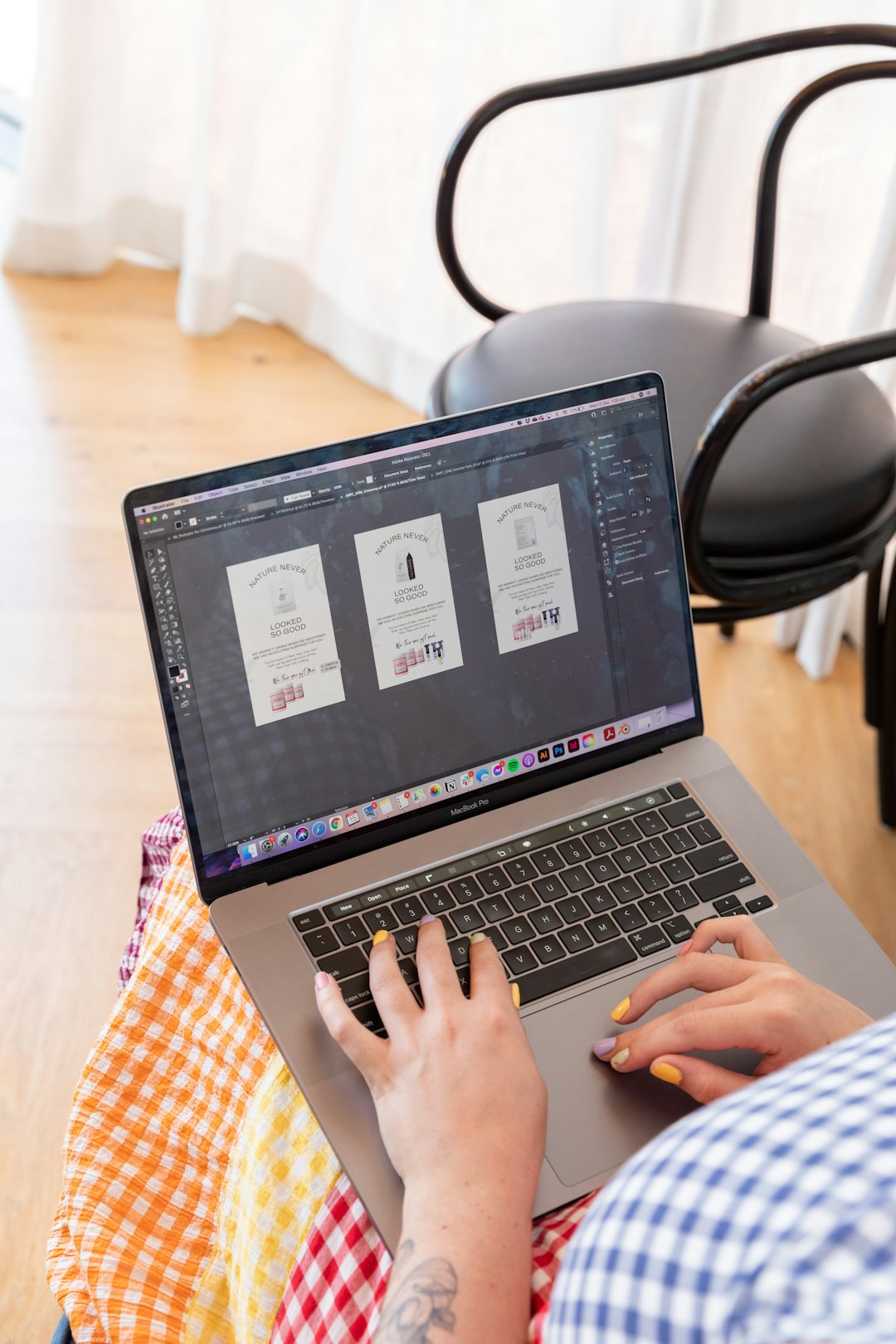
Adobe Express combines the reliability of Adobe’s design expertise with AI features powered by Adobe Firefly. Users can generate images from text prompts and seamlessly incorporate them into branded graphics.
Key AI Features:
- Text‑to‑image generation
- Generative text effects
- Template auto resizing
- Quick action editing tools
One of Adobe Express’s biggest advantages is that AI‑generated images are commercially safe, as Firefly is trained on licensed and public domain content. For businesses concerned about copyright risks, this provides added reassurance. The free plan includes limited generative credits each month.
3. Microsoft Designer
Best for: AI assisted layout suggestions and social media graphics
Microsoft Designer is a surprisingly powerful free tool that integrates AI image generation through DALL·E technology. It is particularly strong in suggesting layouts automatically based on user prompts.
Key AI Features:
- AI image generation from prompt
- Automatic design layout suggestions
- One click visual resizing
- Social post caption recommendations
Users simply describe what they want to create—for example, promotional poster for a summer sale with bright colors—and Designer produces full layouts, not just isolated images. This makes it ideal for users with minimal design experience.
4. Playground AI
Best for: Artistic creations, experimentation, digital art
Playground AI leans more toward creative image generation than template‑based design. While not a traditional drag‑and‑drop tool like Canva, it allows users to generate and edit images with a high degree of control.

Key AI Features:
- Advanced prompt control
- Image blending tools
- Style filters
- Free daily image generations
This platform is especially appealing to illustrators, NFT creators, and anyone experimenting with stylistic visual directions. However, users may need to export images into another platform for adding text or layout elements.
5. VistaCreate
Best for: Small business branding and print materials
VistaCreate is another user‑friendly design platform offering free AI image generation features. Its interface resembles Canva, making it easy for beginners to adapt quickly.
Key AI Features:
- AI image creator
- Background removal
- Brand kit tools
- Animated templates
VistaCreate shines in creating branded content for small businesses. With social post templates, posters, flyers, and advertising materials available, users can launch professional campaigns without hiring a designer.
Comparison Chart of Free Graphic Design Tools with AI Image Generation
| Tool | Best For | AI Image Generation | Free Plan Limits | Ease of Use |
|---|---|---|---|---|
| Canva | Social media and marketing | Yes with daily limits | Limited AI credits | Very easy |
| Adobe Express | Professional branding | Yes with monthly credits | Generative credit cap | Easy |
| Microsoft Designer | Quick layout design | Yes | Limited boosts | Very easy |
| Playground AI | Creative art projects | Yes with daily use cap | Image generation limit | Moderate |
| VistaCreate | Small business graphics | Yes | Limited AI access | Easy |
How to Choose the Right Tool
Choosing the best platform depends on user goals. Those focused on social media marketing and quick content creation will likely benefit most from Canva or Microsoft Designer. Businesses prioritizing brand consistency and template quality may prefer Adobe Express or VistaCreate. Artists seeking advanced prompt control should explore Playground AI.
Other key considerations include:
- Usage limits: Most free plans cap AI generations per day or month.
- Commercial rights: Always review platform licensing details.
- Integration: Consider whether the tool connects with social media scheduling or business software.
- Learning curve: Beginners may prefer drag and drop simplicity.
The Future of Free AI Design Tools
As AI continues advancing, the gap between free and paid graphic design tools is shrinking. Free versions are becoming more capable, offering features that once required premium subscriptions or standalone software. In the coming years, AI will likely enhance personalization, automate brand consistency, and even predict visual trends.
For now, these five tools represent the best combination of accessibility, usability, and built‑in AI image generation without subscription costs. They democratize creative production and enable individuals and small companies to compete visually in crowded digital spaces.
Frequently Asked Questions (FAQ)
1. Are AI generated images from free tools safe for commercial use?
It depends on the platform. Adobe Express emphasizes commercially safe AI training data, while other tools may have specific licensing conditions. Users should always review each tool’s terms of service before using images for business purposes.
2. Do free plans include unlimited AI image generation?
No. Most platforms impose daily or monthly limits on AI image creation. Upgrading to paid plans typically increases these limits.
3. Which tool is easiest for beginners?
Canva and Microsoft Designer are often considered the most beginner friendly due to their intuitive drag and drop interfaces and automated layout suggestions.
4. Can AI generated images replace professional designers?
While AI significantly accelerates design workflows, professional designers still add value through strategy, branding expertise, and creative direction. AI works best as a productivity enhancer rather than a replacement.
5. Do these tools require installation?
All listed platforms are accessible through web browsers, and some offer mobile apps. No high‑end hardware is required, making them accessible to most users.
6. What kind of images can AI generate?
These tools can generate illustrations, realistic photos, fantasy scenes, marketing visuals, abstract art, and more. The output quality largely depends on prompt clarity and platform capabilities.
By leveraging these free graphic design tools with built‑in AI image generation, creators can dramatically enhance productivity, explore new styles, and produce compelling visuals without breaking their budget.